Measured skills, registered in your Talent Intelligence Hub
Skills data reaches your Growth Portfolio from several places. Workera adds the one that was measured against a defined standard, written in as a proficiency level you can defend.

.webp)
The evidence belongs where the decision gets made.
Your team is already making these calls in SuccessFactors. Now they can make them from a number instead of an impression.
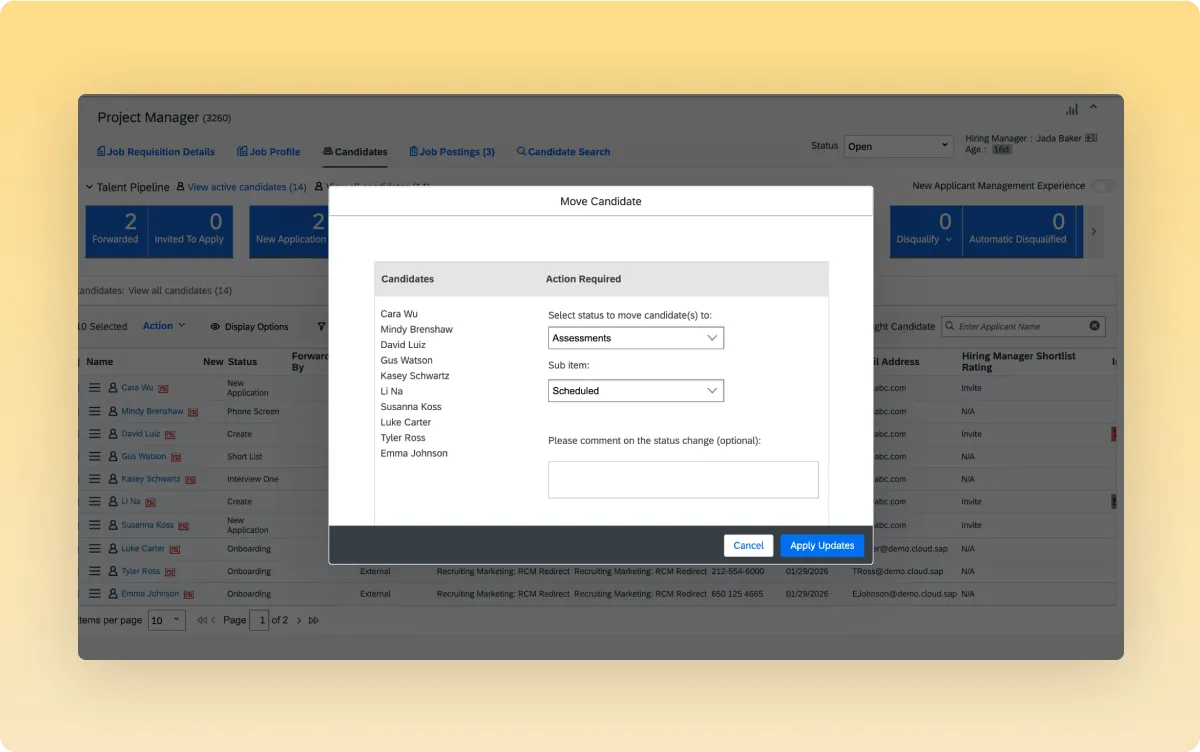
Screen on capability, not claims.
Requisitions carry the skills and levels a role actually needs, and candidate records carry measured results against them. Recruiters compare a number to a requirement instead of reading a resume and inferring what's behind it.
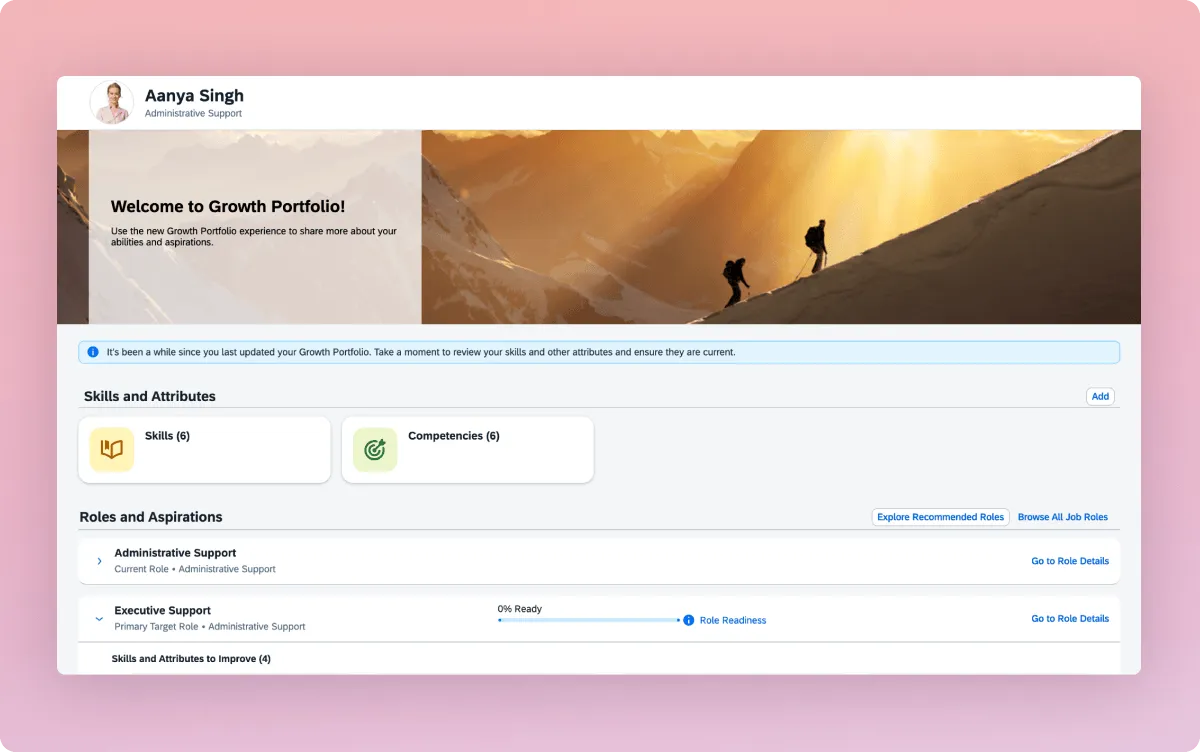
Objective ratings, right on the Growth Profile.
Workera populates employee profiles with validated skill ratings that rest shoulder-to-shoulder with existing competencies and attributes. With verified proficiency sitting directly in the central portfolio, managers and automated talent workflows gain a clear, defendable picture of worker capabilities in real time.
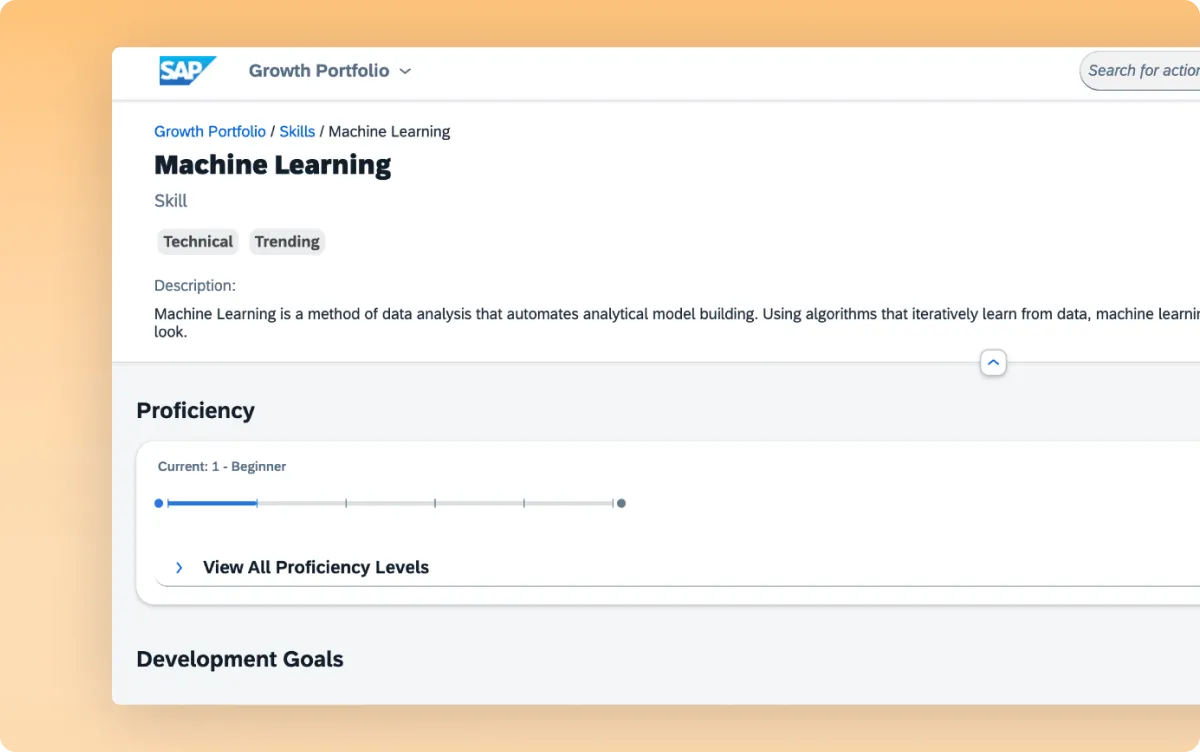
Know who's actually ready.
Being available is not the same as being ready. A measured level against the requirements of the next role tells you which is which, before someone gets moved into a job they can't yet do.
Know where every skill came from.

A level, not a label
Know what someone can actually do, not whether they claimed the skill. When a decision gets challenged, the level traces back to an assessment, a date, and a standard.

Your people see it first
Employees get their own results before anyone else, including what would move them up a level. Skills data people can see is skills data they keep current.

Your admins keep the keys
Measured skills arrive under your governance rules, labeled with their source. Your team decides what writes into a portfolio and what doesn't.
One connection your security team will clear.
Every connection is authenticated through your provider's approved method, scoped to read only what it needs, and revocable by you at any time. Only minimal, purposeful data transits the connection. Workera is SOC 2 Type II compliant, ISO/IEC 27001:2022 and ISO/IEC 42001:2023 certified, and aligned to GDPR.

.webp)
.webp)
SOC 2 Type II, SO27001-2022, &
SOC 42001-2023 Certified
Independent audits ensure enterprise-grade data protection.

GDPR & CCPA
Compliance
Your skill and employee data stays private and under your control.
WCAG 2.2 AA
Conformant
Accessibility support for a broad and inclusive workforce.
FAQ
Employee and organization data, read only. Workera uses it to know who works where, in what role, and under what employment status.
You create a dedicated integration user and API client inside SuccessFactors, then paste those credentials into Workera's guided connection flow. The exact permissions and scopes are shown to you in the flow.
No. Filter by location, employment status, or employment type, and a preview shows exactly who matches and why before anything is shared. If you add no filters, everyone is included.
Automatically, every day. Admins can also trigger a sync on demand.
Yes. Set a rule once, for example everyone in a given location or job family, and Workera keeps program membership current as people join or change roles. The rules re-apply on every sync.
Not yet. Skills write back is live for Workday today, and SAP SuccessFactors support is on the roadmap. Your CSM can speak to timing.
About 30 to 45 minutes, most of it spent creating the integration user inside SuccessFactors. It's configuration, not a development project.
An administrator in Workera and an administrator in SAP SuccessFactors. No engineering work required.

See your stack get smarter.
Book a demo and watch one verified signal flow into the systems you already run.