Getting Started with Ambient

Workera Team
Getting started with Ambient
The following content is designed for the ambient alpha testers. This is an early access program for 100 individuals. If you are not part of the Ambient Alpha but would like early access, please join the waitlist.
From download to your first insight in about three minutes.
Ambient is an always-on coach for the skills you're already building. It reads from the tools you choose to connect, shows you what it sees, and keeps you in control of your data every step of the way. Setup is short. This walkthrough is here so nothing surprises you.
First, what the Ambient Alpha is (and isn't)
You're joining an alpha program: early access for the first 100 active users, running four weeks, through July 31. We are excited to give you early access and appreciate your feedback. We'd rather you know the parameters up front, so here they are, plainly:
It's a test. You're using Ambient before anyone else, and what you notice shapes the future of Ambient. The fastest way to tell us anything is the Ambient Alpha Slack.
The alpha program ends on July 31, and when it does, all alpha program data is deleted. Your scores, your signals, your account from this phase: gone, by design. Nothing from the alpha follows you anywhere.
We greatly appreciate your participation and feedback in this program. As an early user. When Ambient is available you will be first in line, and we'll tell you exactly how to get back in.
If those terms work for you, the next three minutes are the fun part.
Before you start
Ambient runs as a desktop app on your Mac, not in a browser tab. Check your inbox for an email from us that includes your sign-in link and your invitation to the Ambient Alpha Slack. Accept the Slack invite; it's where the team answers questions live, where every update gets announced and you can connect with other Ambient Alpha users.
Step 1: Download and install
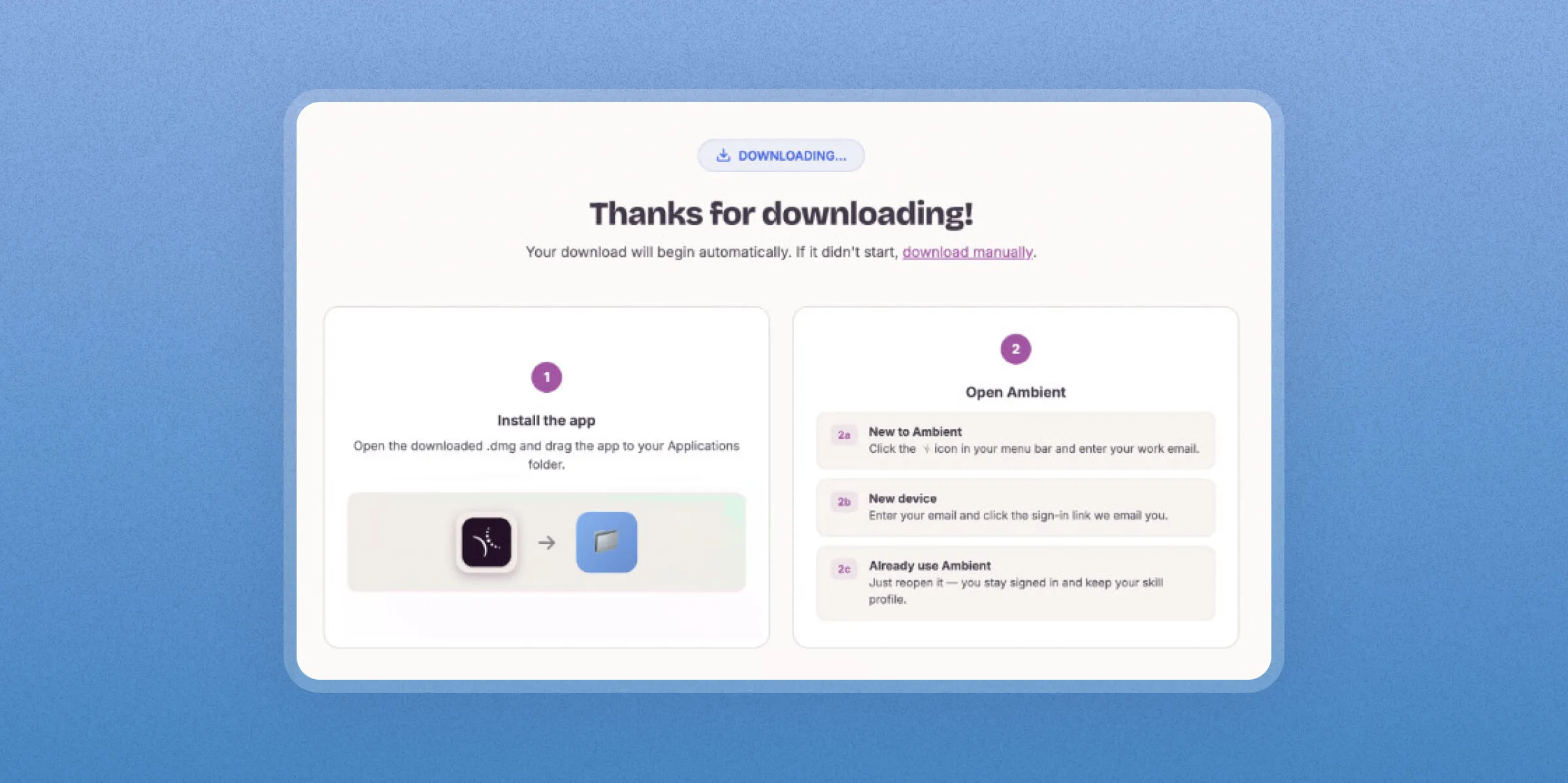
Click your download link. The download starts on its own; if it doesn't, there's a manual link on the page. Open the .dmg and drag Ambient into your Applications folder. That's the whole install.
Step 2: Sign in
Open Ambient from your menu bar and enter your email. We'll send you a one-click sign-in link.
Step 3: Make the deal clear
Before anything connects, Ambient shows you exactly what it measures and who can see what. The short version: you see your data first, and you decide what's shared, at every step. More on this in “What Ambient sees. What it never sees.”
.webp)
Step 4: Pick what to grow in
Choose the skill areas you want Ambient to pay attention to: things like AI Fundamentals, Communication Essentials, Leadership, Management Essentials. Pick at least three. You can change these anytime, so choose where you want to be, not just where you are.
Step 5: Set up Connectors
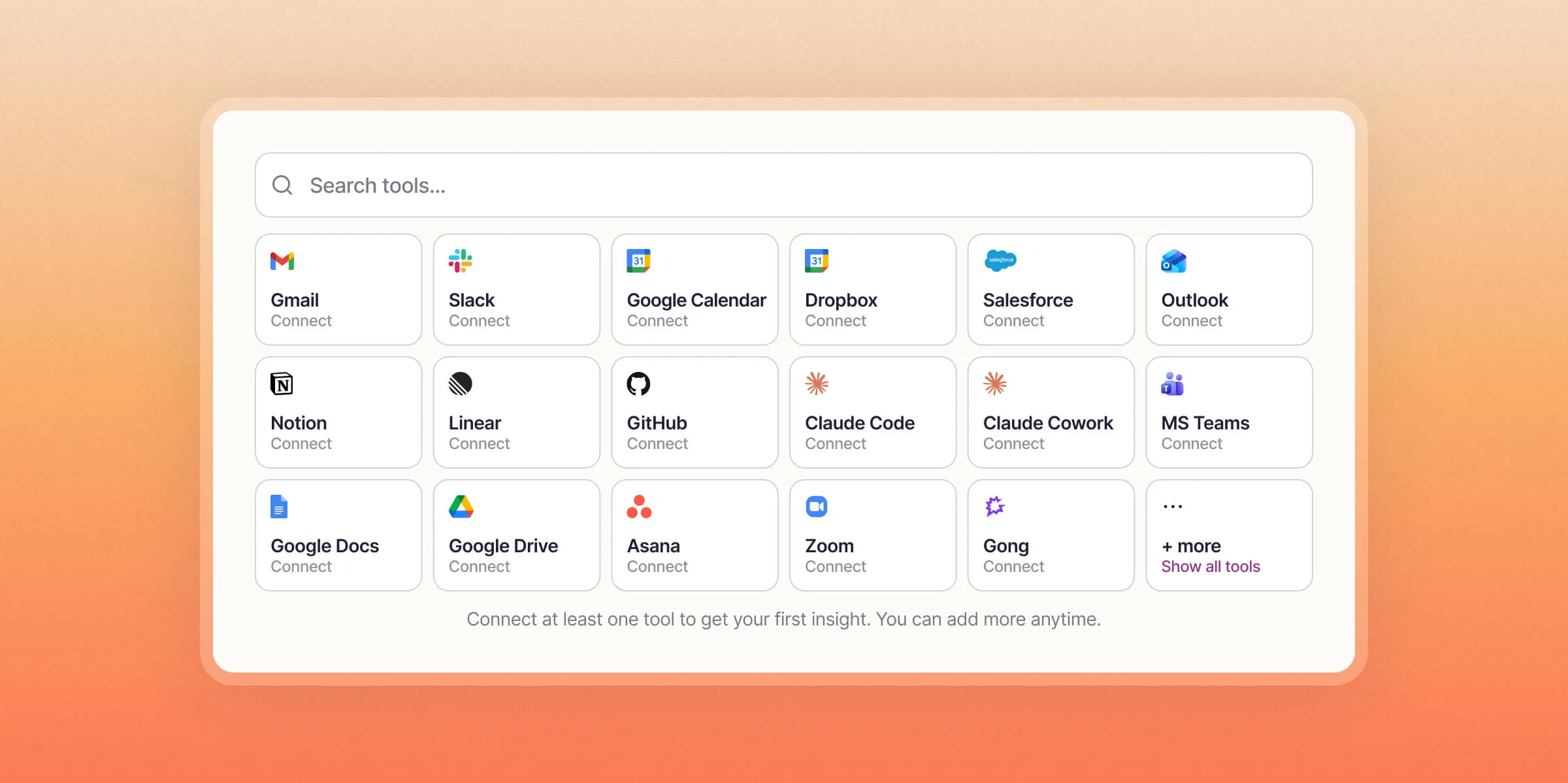
This is where Ambient starts working! Set up at least one connector for a tool you use regularly; Claude, Gmail, Slack, Asana, Granola or your calendar is the fastest start. Each additional tool sharpens your picture, and there's a full guide to what each one adds in “Connect your tools.”
Step 6: Your first scan
Now Ambient will run your first scan, this will cover three days of activity. You'll watch three checkmarks: reading your recent activity, scoring your behaviors, surfacing your strongest patterns. About three minutes later, your first insight appears: a real pattern from your own work, with the reason it matters.
That's it
A notification confirms Ambient is running, and from here it works on its own, re-scanning every few hours while you just do your job. Questions at any point: the Ambient Alpha Slack is the fastest way to reach a human on the team.
With Ambient, your always-on, private coach is running in the background so you always know exactly where you stand.
Open Ambient and run your first scan today!
Category
Ambient

Trending Updates

News
Pearson Agrees to Acquire Workera, a Pioneer in AI-Native Enterprise Assessment and Skills Verification

Product updates
You Bought the Tools. Now You Can See Who Is Ready to Use Them.

Blog
Can You Defend the Growth Number in Your AI Readiness Update?